
Global Mapper 27 is here. Geodetic accuracy, built into every workflow.
The all-in-one GIS software
V27
Recent Developments in Global Mapper
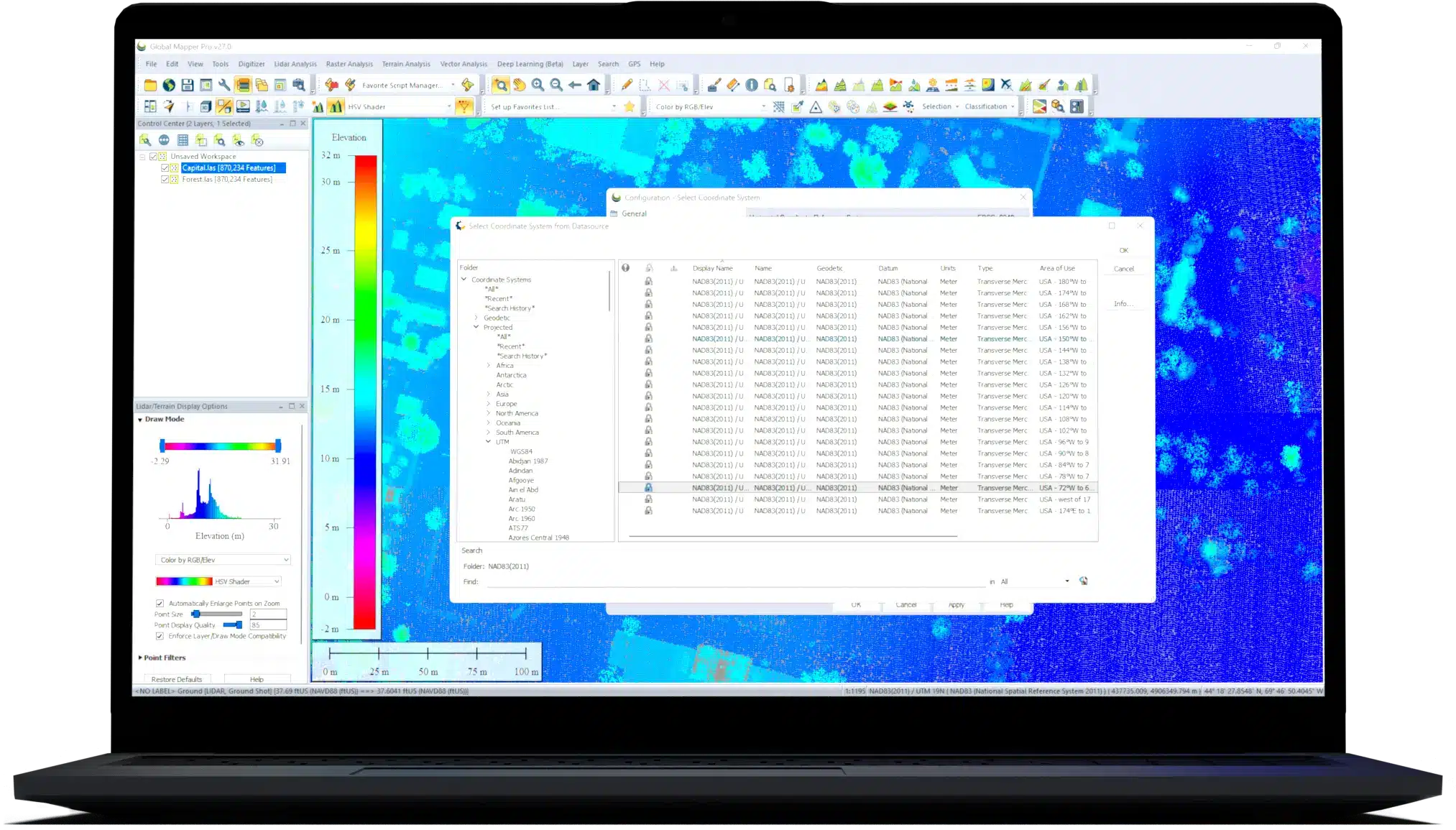
Developed for both GIS professionals and map enthusiasts, Global Mapper® has all the functionality you need in a GIS software.

No add-ons or additional licenses are needed for the support of over 300 file formats including vector, raster, elevation, and point cloud data types in Global Mapper. Users can load, combine, crop, and tile almost any data they encounter. With new and modified formats being added on an ongoing basis, you can be sure that the software will never be out of date with your data.
Streamed online data is available through Global Mapper. This wealth of sources include aerial imagery, worldwide elevation data, topographic maps, Landsat satellite imagery, land cover data, aviation charts, and much more.
Global Mapper offers flexible visualization of 2D and 3D data for optimal analysis including customizable shaders or animation creation. Additionally, The 3D viewer supports creating and recording HD fly-through videos, allowing easy sharing of point cloud, elevation, and draped raster visualization. gh screenshots, captured videos of 3D data, and static map layouts designed for PDF export or printing with Global Mapper’s layout tools. Additional options are available for exporting map data to web tile formats.
Global Mapper supports a wide range of digitizing tools including point, line, and polygon feature creation. A collection of specialized geometric tools generate range rings, grids, buffer areas, and more.
Complex vector layer comparisons and feature creation can be performed with the Spatial Operations tool, featuring Intersection, Union, Difference, and Symmetrical Difference operations, along with numerous spatial predicates and transformations.
Global Mapper offers visual adjustment tools such as multi-band data layer creation, pan sharpening, image tiling, and mosaicing. Histogram matching allows the color channel of one layer to dictate the adjustment in others. This method along with tools for image feathering and contrast adjustments aids the blending of data layers collected at different times or with different equipment.
Raster calculation allows mathematical operations to be executed on multiband imagery or multiple data layers. Global Mapper supports a variety of built-in formulas for NDVI, NDWI, other common indices, and custom formulas. The Raster Reclassify tool converts pixel values in a layer based on user input rules.
Dynamic terrain visualization supports imported elevation data and TIN layers generated from 3D vector data with colorful shader options. Terrain data can be utilized to create vector layers highlighting patterns or values in the data. Elevation layers can be used to generate contour lines that can be further customized with contour interval spacing, polygon feature generation, and the identification of local peaks and depression.
Combining vector features with terrain data offers additional options including: cut-and-fill volume calculations from polygon or linear features, flattened site plan creation, and Relative Elevation Model (REM) generation.
Users can generate watersheds and delineate the areas to determine the likely path of streams and their drainage or catchment area. Water level-rise and potential flooding can also be assessed from a loaded terrain.
Cross-section profile views of terrain can be created from any existing or drawn linear feature on the map. Profiles can be used to calculate elevation statistics and slope. Line-of-sight analysis options can be used to visualize any obstructions along the path, including 3D vector features. Viewshed calculations identify the covered, or hidden, areas in all directions within a specified radius of a specified location.
Workflows can be automated by building a Global Mapper Script that supports importing, converting, reprojecting, analyzing, calculating attributes, splitting layers, and exporting data. Favorite scripts can be saved for execution with the touch of a button.
To streamline a data processing workflow, Global Mapper offers a batch processing function that allows multiple selected files, or all compatible files within a specified folder, to be converted, reprojected, gridded, and renamed without rendering the data in the various viewers.
Compare the Standard and Pro features to find out!
Standard license includes:

All the great features of standard plus...

Global Mapper Suite
Everything you need in GIS software
A comprehensive suite of GIS desktop and mobile applications as well as a software development kit with tools to satisfy the needs of a wide range of workflows.

The all-in-one GIS software
Global Mapper Pro® expands upon the extensive functionality of the standard version of the application for those with advanced workflows. It includes all features available in the standard version plus lidar/point cloud creation, classification, and analysis; advanced image, terrain, and vector editing and analysis; and scripting support for workflow automation.

Geospatial data viewing and collection in the palm of your hand
Global Mapper Mobile® is an iOS and Android application for viewing and collecting GIS data. It’s a perfect complement to the desktop version of Global Mapper, providing maps-in-hand functionality for field data gathering. The Pro version of the application expands on the functionality of the application, with an array of professional-grade tools.

Advanced GIS Software Development Kit
The Global Mapper Software Development Kit® (SDK) is a toolkit that provides access to much of the functionality of the desktop application from within an existing or custom-built application, allowing in-house developers to create a unique version of the software to meet their specific needs and requirements.
Global Mapper offers a complete set of GIS tools.


