Default Coordinate System
The default coordinate system setting defines the workspace coordinate system that is used automatically anytime data is loaded into an empty workspace.
Access the Default Coordinate System by selecting the  Configuration button from the File Toolbar or Tools menu, and navigating to the Default Coordinate System section in the Coordinate Reference System folder.
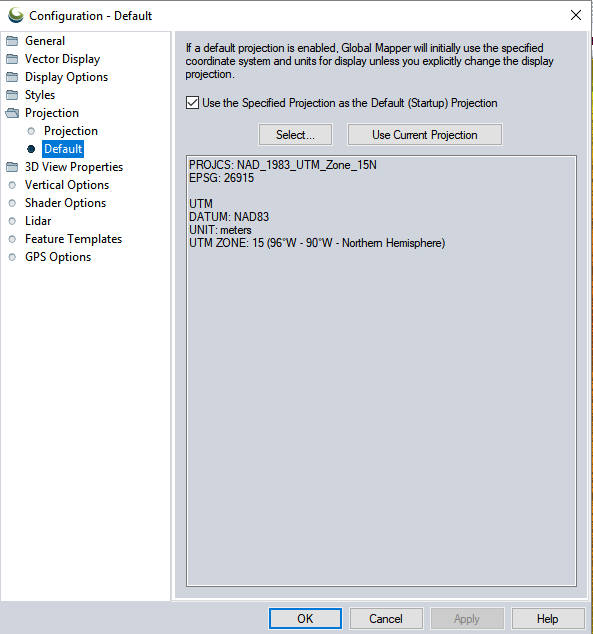
Use the Specified Coordinate System as the Default (Startup) System
This checkbox must be checked in order to utilize a default coordinate system. This is a coordinate system that will be automatically set anytime a new workspace is created, such as when first loading data, or digitizing in an empty map.
The default coordinate system will be remembered, but can be disabled by un-checking this box.
Without a default coordinate system enabled, the workspace coordinate system is set to the system of the first layer loaded into the workspace, or a coordinate system explicitly set by the user in Configuration > Coordinate Reference System.
The default coordinate system will be overridden when a workspace is loaded that defines a workspace specific coordinate system.
Select...
Pick a coordinate system from the list of built-in systems, or by referencing an external file (*.prj or metadata file) or an EPSG code. For more information on coordinate system selection, see Coordinate Reference System Configuration
The definition of the selected coordinate system will display in the box below the buttons.
Use Current Coordinate System
The default projection will be set to match the current workspace coordinate system.