Dynamic Buffer Creation
Create Buffer Area by Drawing Center Line
Instead of creating a buffer area from an existing line feature (as is accomplished by the traditional method in the Buffer Tool) the Dynamic Buffer Creation tool allows users to create a buffer area by digitizing the center line in the workspace. As the centerline is drawn, the buffer is shown dynamically based on specified settings as each vertex is added. This tool creates the area feature(s) without saving the center line.
This is useful, for example, in flight planning to interactively draw flight lines with a specified width to see the coverage on the ground as potential flight paths are drawn.
The Dynamic Buffer Creation tool can be found in the Digitizer or right click menu under Create Area / Polygon Features > Create Buffer Area by Drawing Center Line
Dynamic Buffer Creation Options:
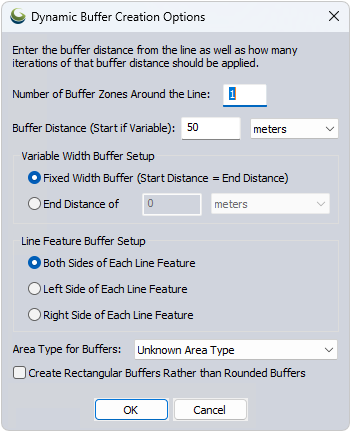
Number of Buffer Zones - specify the number of buffers to generate for each selected feature.
Buffer Distance - specify either a Fixed Distance, or the starting distance for variable width buffers.
Buffer distance is measured using Great Circle, Grid, or Rhumb Line distance based on the Calculation Type specified in the Measure/Units section of the Configure Menu. If the Calculation Type is Great Circle, additional vertices may be added to the buffer.
Variable Width Buffer Setup - specify either that the buffer should have a fixed width, or what the end width should be for a variable width buffer.
Line Feature Buffer Setup - specify which side(s) of the selected feature to draw the buffer from. Using this option, it is possible to create
a buffer for one side of the drawn line, with right and left determined from the perspective of the initial vertex.
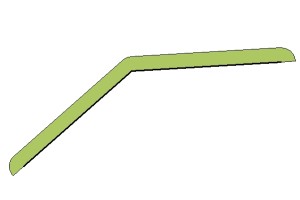
Area Type for Buffers - specify the Area Style you would like use for the new buffer. Buffers may also be set to have rectangular or rounded edges.