 Change Lidar Classification Tool

|
This tool requires Global Mapper Pro |
Use the Change Lidar Class tool to bulk modify the classifications of loaded or selected points. The Change Lidar Class tool will change the class of all points matching the specified class. This tool is similar to the Manual Point Cloud Classification tool, but can be applied to whole layers without the need to select points first.
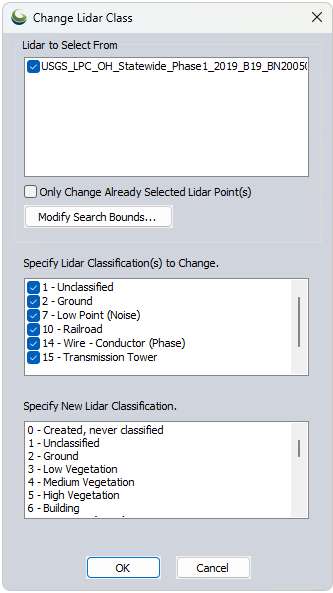
Only Change Already Selected Lidar Point(s) – Select Lidar points with the digitizer prior to selecting this tool from the Lidar Toolbar, then check this option to only updated selected points matching the Classification to Change.
Modify Search Bounds – Use this to specify a smaller area of Lidar Points for which to change the class.
Specify Lidar Classification(s) to Change – Check which existing lidar classes should be modified.
Specify New Lidar Classification – Highlight the desired new lidar classification for all of the specified points to change to.