PNG
The Export PNG command allows the user to export any loaded data sets to a PNG file.
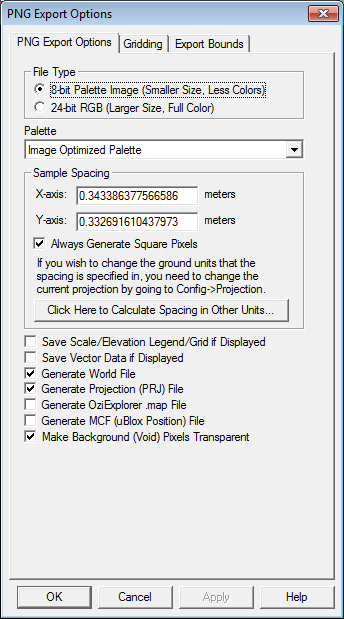
When selected, the command displays the PNG Export Options dialog which allows the user to setup the export. The dialog consists of an Options panel (pictured below), which allows the user to select whether to export an 8-bit palette-based PNG or a 24-bit RGB PNG file, as well as other applicable options, a Tiling panel, and an Export Bounds panel which allows the user to set up the portion of the loaded data they wish to export.
Generate Cesium 3D Tile - Check this option to export the raster as a Cesium 3D tile (*.glb + *.json). If the original raster is exported as a group of raster tiles, the *.GLB file will contain the individual meshes per raster tile.
*Note: Cesium 3D file format only supports projected coordinate systems. Use the Projection tab in the configuration dialog to change this setting prior to export.