JPG
The Export JPG command allows the user to export any loaded raster, vector, and elevation grid data sets to a JPG file.
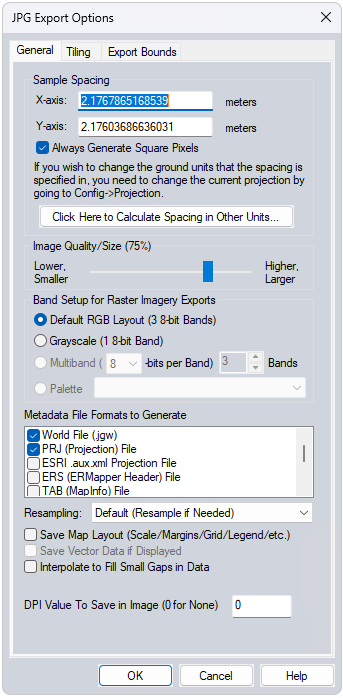
When selected, the command displays the JPG Export Options dialog which allows the user to setup the export. The dialog consists of a General options panel which allows the user to set up the pixel spacing, a Tiling panel, and an Export Bounds panel which allows the user to set up the portion of the loaded data they wish to export.
Generate Cesium 3D Tile - Check this option to export the raster as a Cesium 3D tile (*.glb + *.json). If the original raster is exported as a group of raster tiles, the *.GLB file will contain the individual meshes per raster tile.
*Note: Cesium 3D file format only supports projected coordinate systems. Use the Projection tab in the configuration dialog to change this setting prior to export.